
 Hubort
Search
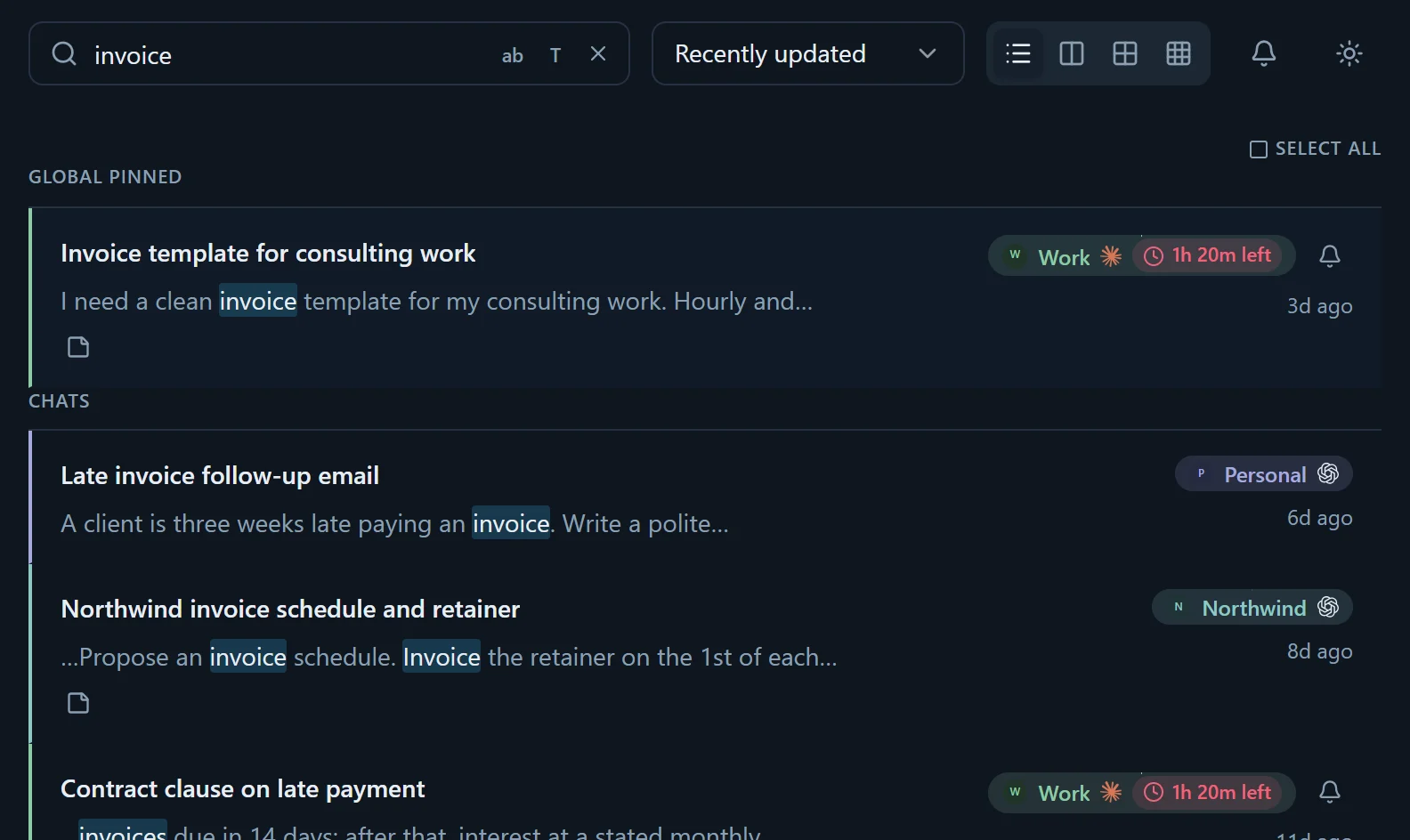
One box across every account and every service. Narrow it to one account or service, match whole words or titles only, then open the chat on its own site in one click.
For ChatGPT, Claude, Gemini and Grok · Windows
Hubort searches every conversation across every AI account you have — including the accounts that can't see each other — on your own computer.
Private beta, Windows only. Everything free for 14 days, then free for two accounts. No card, anywhere.
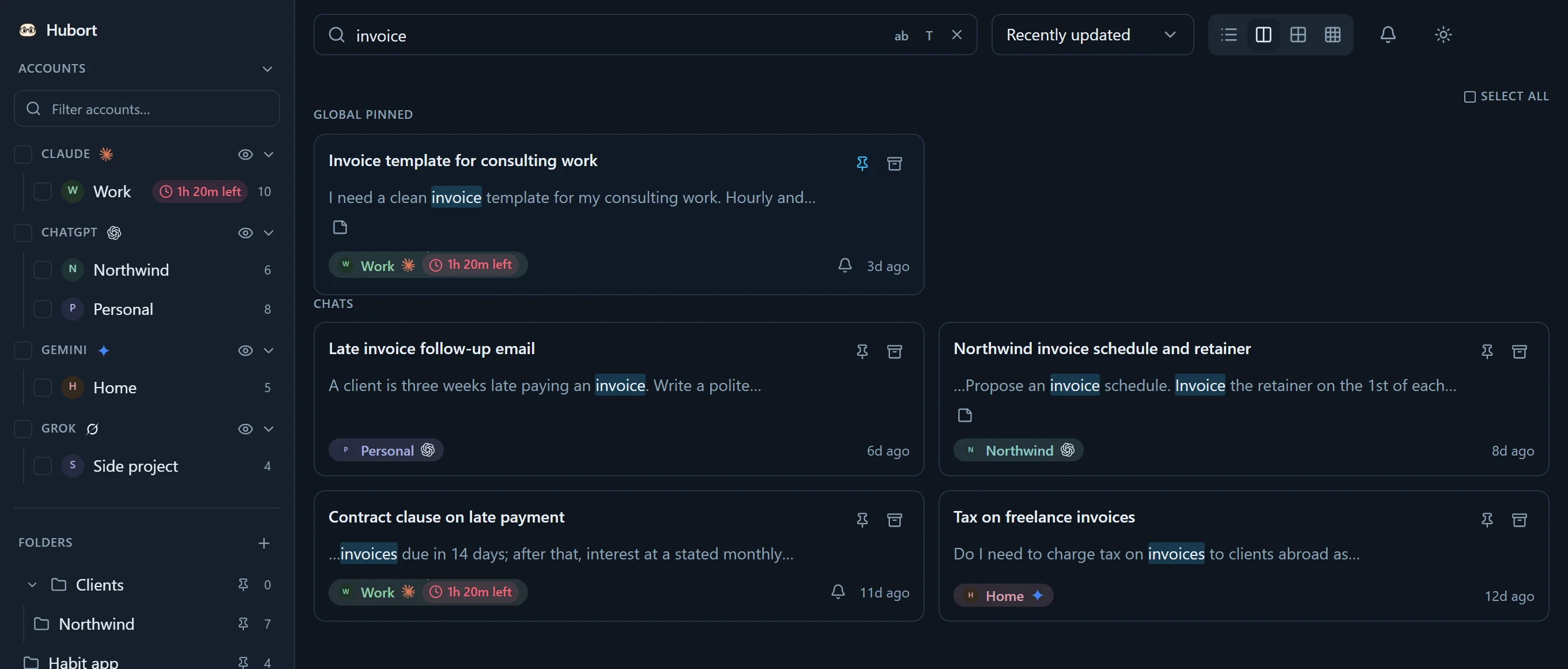
One query. Four accounts. Local.
The problem
Because every account is sealed off from the others, and the companies say so themselves. You search the one you're signed in to. If the chat was in the other one, it looks as if it's gone.
Switching accounts “does not: Move chats between accounts, Share memory or conversation history, Share files or uploads…”OpenAI Help Center: Use multiple accounts with account switching
Chat search covers “all chats outside of projects”, and is “available to users on paid plans”.Claude Help Center: Use Claude's chat search and memory
That's the chats in the account you're signed in to, and on Claude only if that account is paid. Gemini works with one Google account at a time; Grok, one per browser. Work and personal, one client and the next: each is its own island.
Hubort sits outside all of them. Every browser you use hands its chats to one search on your own computer, and one query reaches every account at once.
The difference
Every other one keeps its search inside the browser profile it was installed in. That's why none of them can see a second account of the same service, or a second profile. Hubort keeps it in an app on your computer, which every browser you use fills. The honest cost: an app to install, and Windows only for now.
| What | Hubort | LLMnesia | AI Toolbox | Echoes |
|---|---|---|---|---|
| Two accounts of the same service, one search | Yes | No | No | No |
| Several browser profiles, one search | Yes | No | No | No |
| Where your search lives | An app on your computer | Your browser; encrypted sync is paid | Your browser, with cloud sync | Your browser, with Firebase sync |
| Services | 4: ChatGPT, Claude, Gemini, Grok | 15, and local coding sessions | 4 | 7 |
| Free | Everything, for two accounts | Everything, unmetered | 5 results a search, titles only | 20 searches a month |
| Paid from | $3.99 a month | £8 a month, for sync | $9.99 a month per service | $8.99 a month |
| What you install | An app and an extension; Windows only | An extension | An extension | An extension |
Checked on 23 September 2026 against each product's own site and Chrome Web Store listing. For one account, LLMnesia is free, good and covers more services. Something here out of date? Tell us at [email protected] and we'll correct it.
Setting up
Two installs: a Windows app that keeps and searches your chats, and a browser extension that reads them from the services you're already signed in to. Four steps, in this order.
This is where your chats live: a database on your own computer, and the search you'll use. It sits in the tray, so closing the window doesn't stop anything.
Chrome, Edge or Firefox. It reads your chats with the session you already have: nothing new to sign in to, and no passwords.
Pairing is how the app knows the browser is yours. Another Windows account on the same PC can't see your chats or add to them.
“Work”, “Personal”, “Client — Northwind”. The name follows the account, not the browser, so one account synced from two browsers is still one account.
A one-click extension keeps its search inside one browser, and that's exactly why no extension can search across your accounts. Hubort keeps it in the app instead, on your computer, where every browser can reach it and no server ever sees it. The setup guide has every step, with what to do if one sticks.
Where your chats go
In December 2025, four browser extensions with over eight million installs between them were caught copying people's AI conversations to their makers' servers. Hubort can't do that: your chats go from the service you're signed in to, into a database on your own computer, and stay there.
Your chats are never sent to us. Hubort has no server to send them to.
That's checkable. The privacy policy lists all nine things that ever use the internet, what each sends and to whom, and every installer's SHA-256 is published with its release.
Ask Your Archive Pro · off until you set it up
The excerpts that answer your question go to your own AI provider, on your own key. Anything shaped like a password or an API key is masked first.
Live Sync to Notion Pro · off until you set it up
The chats you pick go to your own Notion workspace, with your own token and an explicit yes.
Drive backup Off until you set it up
Your database, to your own Google Drive, with credentials you create.
Problem reports Only when you press Send
What you wrote, diagnostics that name no account, and a screenshot only if you add one. You see all of it before it goes.
Usage reports Off until you switch them on
A daily summary of counts, with a random install id. Never a chat, a title, a search or an account's name.
Crash reports Off until you say yes
Error details, stripped of names, paths and addresses. Never your chats.
A subscription's key check Subscribers only
Once a day, its licence key and nothing else, to renew it. A licence bought once, the trial and Free never contact us about a licence.
What it does
Find any chat in any account with one search, keep the ones that matter where you'll find them again, and see which account can still answer. All of it is free for two accounts.
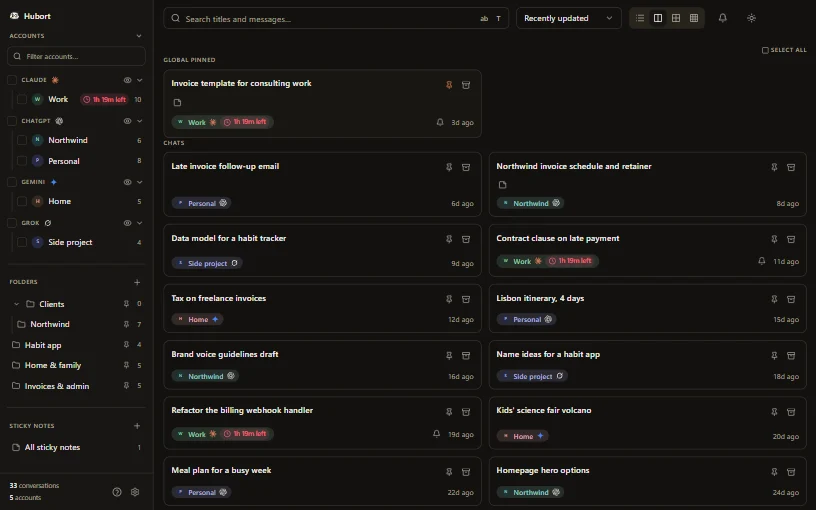
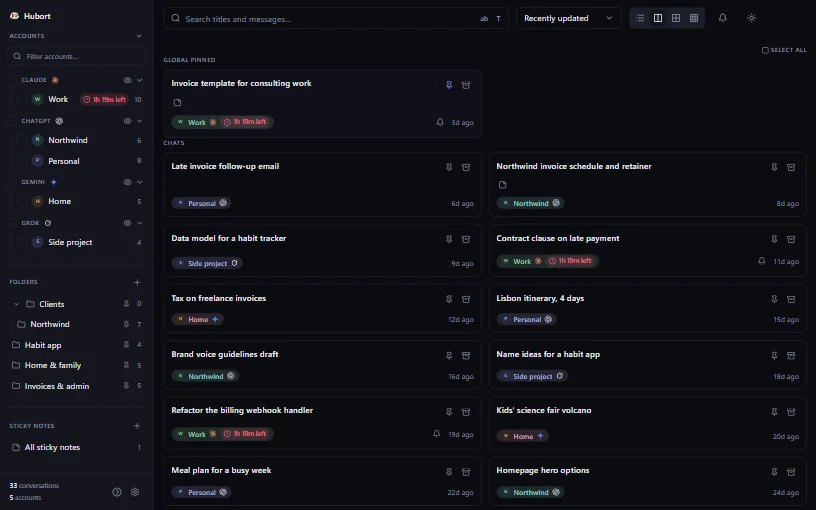
One box across every account and every service. Narrow it to one account or service, match whole words or titles only, then open the chat on its own site in one click.
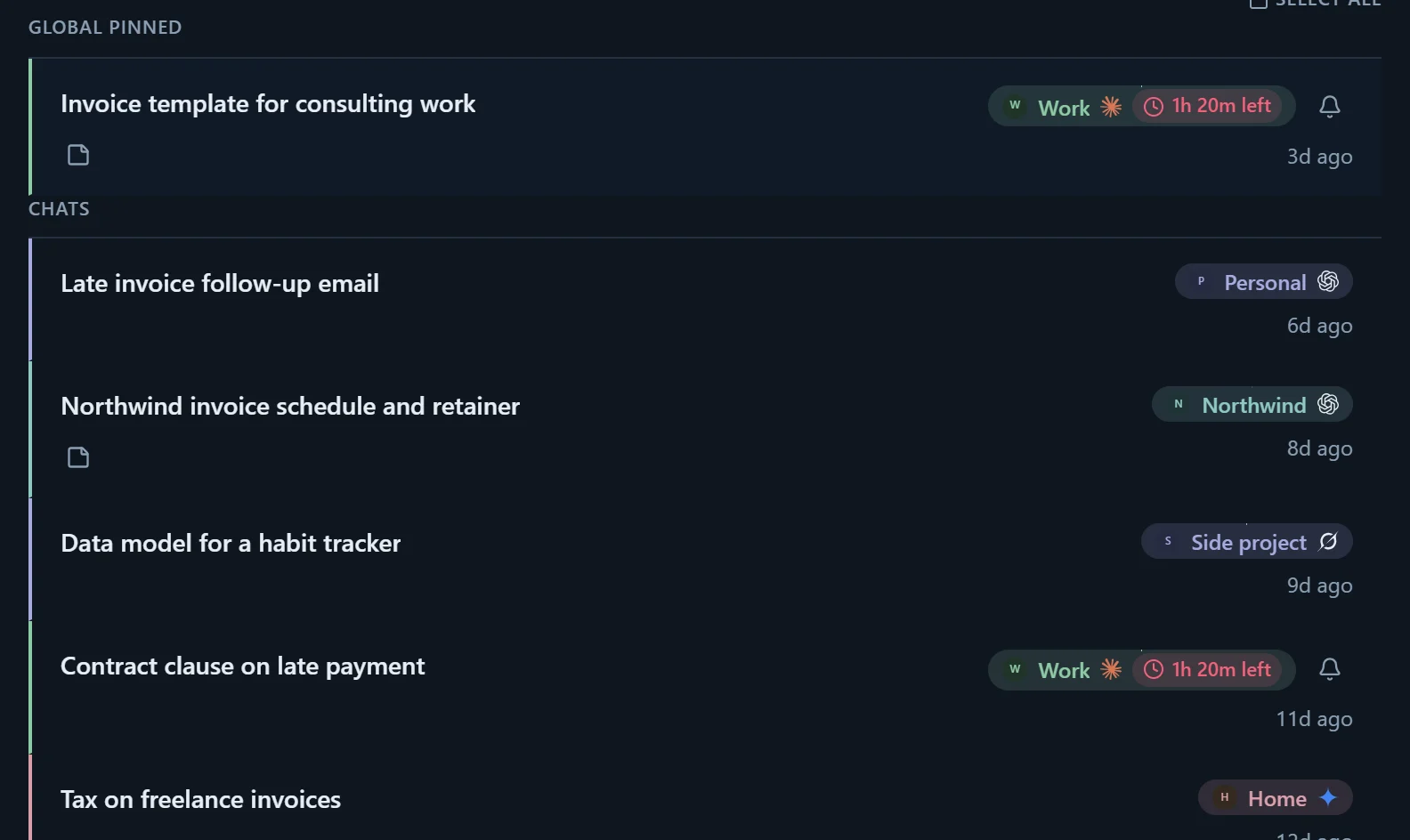
Collections, with collections inside them. Sticky notes. Pins, inside a collection or over everything. Your own order. Collections can file new chats for you, by matching their name.
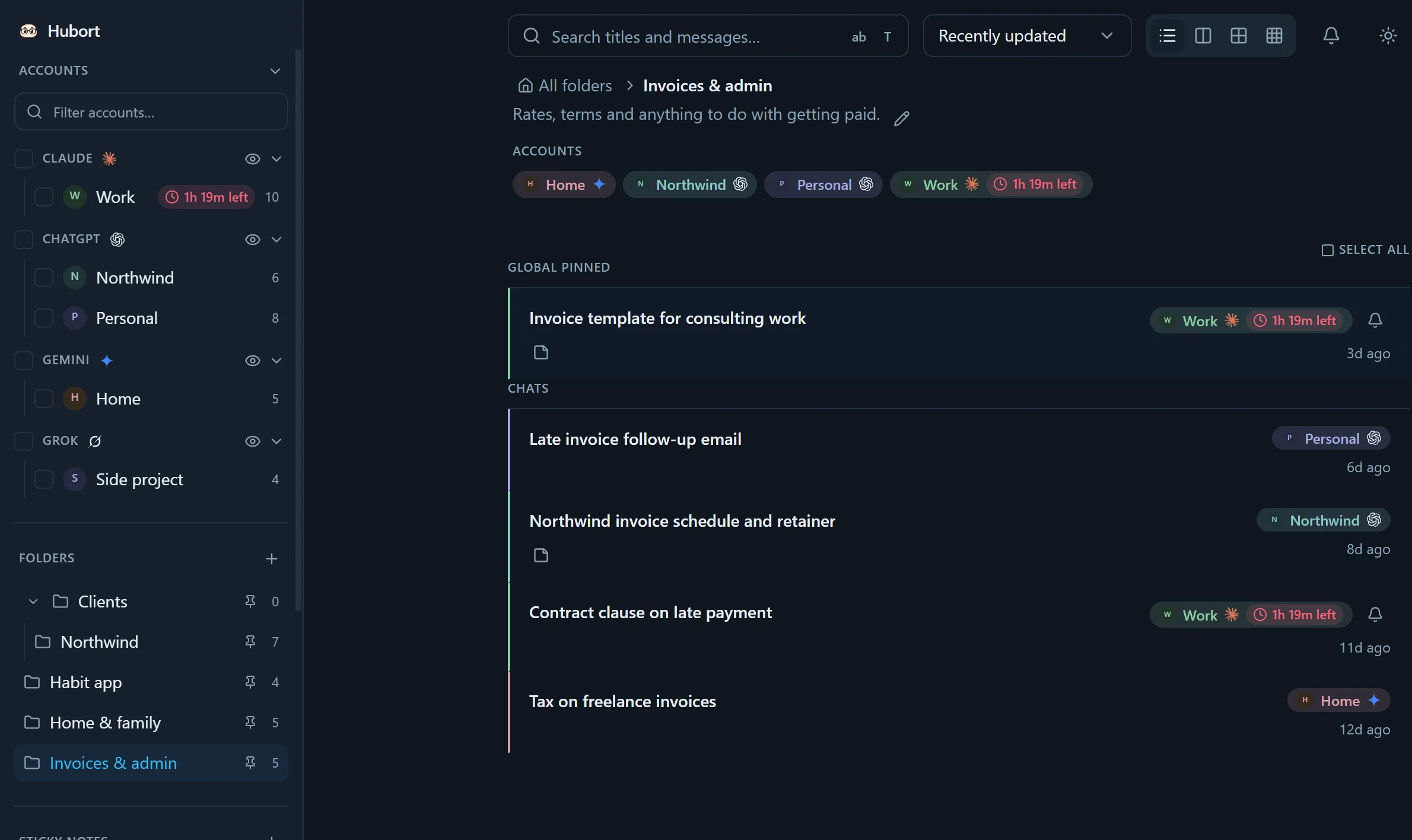
Archive what you're done with. Export anything, or everything, as Markdown. Back up the whole database to your own Google Drive.
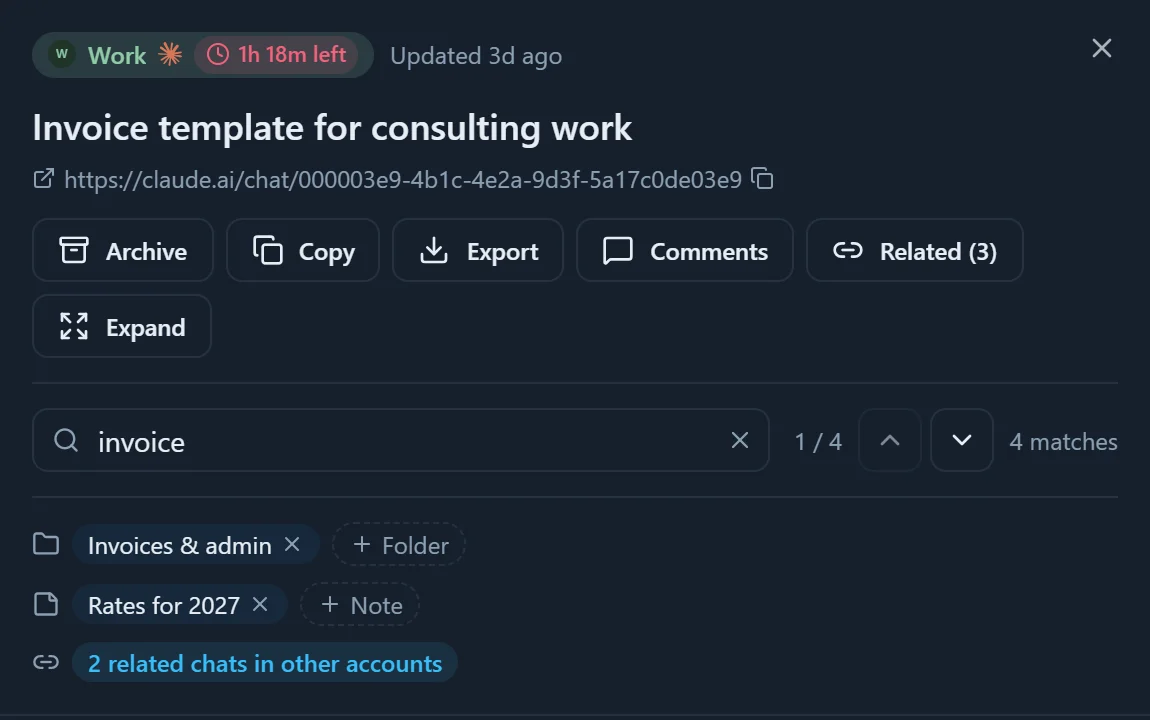
See which Claude and Grok accounts have hit their limit and how long until each resets, and ask for a reminder when one does, so you open the account that can still answer.
Pro
Free and Personal find the conversation. Pro answers the question: it reads across every account for you, and keeps your chats in the places you already write.
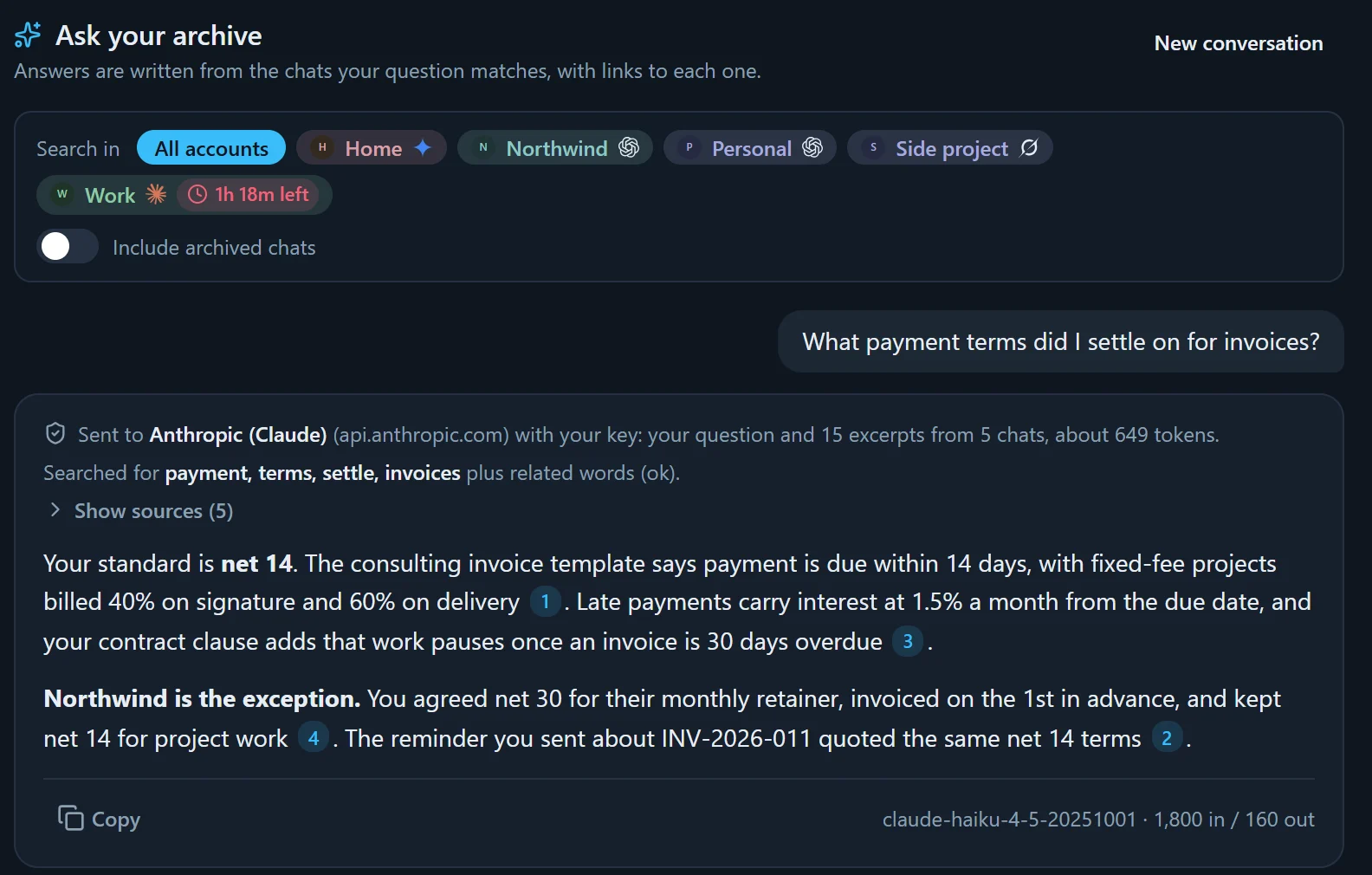
Ask, don’t search.
Ask in plain words, and get the answer written from your own chats, with links to the conversations it came from. It runs on your own Anthropic or OpenAI key: your provider bills you for it, and Hubort adds no charge per question.
Open a chat and see the ones like it in every account, even with no words in common. Connections gathers the topics that came up in more than one account. It's a model trained on your own chats, on your computer; nothing is sent.
Keep a folder, such as an Obsidian vault, or your own Notion workspace up to date with your chats, as Markdown files or Notion pages. A file you've edited is never overwritten.
Activity, rate-limit history and topics, per account.
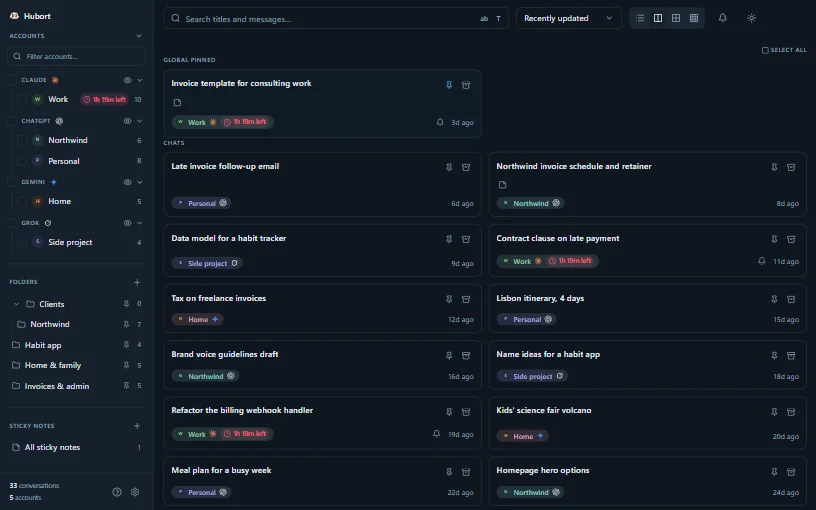
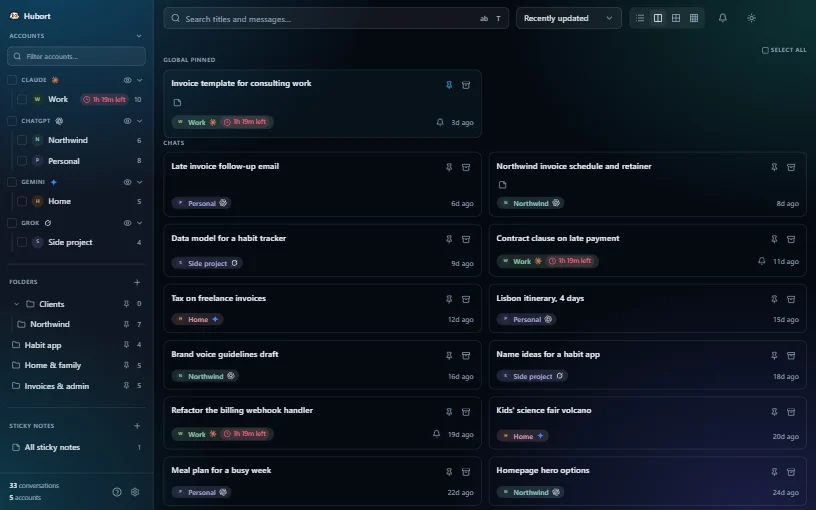
Three colour schemes and a glass finish, each in light and dark.
shown dark, because it's late
Pricing
Nothing for two accounts, for as long as you like. Every install starts with 14 days of everything. More accounts from $3.99 a month.
$0for as long as you like
For two accounts. Every install starts with 14 days of Pro.
$3.99 / month $29 / year $79 once
Or $29 a year.$2.42 a month, billed once a year.Every version for 12 months, yours to keep. Then $15 a year for updates, if you want them.
Every account you have.
$7.99 / month $59 / year $149 once
Or $59 a year.$4.92 a month, billed once a year.Every version for 12 months, yours to keep. Then $29 a year for updates, if you want them.
Every account, and answers instead of results.
What's a source? A source is one account on one provider, however many browsers it syncs from. Your work ChatGPT and your personal ChatGPT are two. Your Claude, synced from Chrome and from Firefox, is one.
Team: five individual Pro licences, $249 a year. Not shared access: each person's chats stay theirs.
No card for the trial, because there's no card field anywhere. Full pricing, cancelling and refunds →
It might, and you should know that before you install. Hubort reads each service's web app with your own signed-in session, on a schedule. Anthropic's, OpenAI's, Google's and xAI's terms restrict automated access (xAI's bars it outright), so using Hubort may be inconsistent with them, and any consequence would fall on your account with that service.
You can lengthen the interval, or turn scheduled sync off for any service and sync only when you choose. Hubort only ever reads: it never writes to your accounts, and it never shares a login. Everyone signs in to their own account, in their own browser. The full note is in the privacy policy.
Yes. They're in a plain SQLite database on your own computer, which any SQLite tool opens, and Hubort exports everything as Markdown whenever you ask, on every tier, Free included. Neither needs us.
The app is Windows 10 and 11 only, for now. The extension runs in Chrome, Edge, Firefox and other Chromium browsers, but it needs the app to send chats to. A Mac version is planned and not built: write to [email protected] with “Mac” in the subject and you'll hear when it exists.
No. It reads, and that's all: it never sends, renames, archives or deletes anything there. Pins, collections, notes and archive live only in Hubort.
Syncing for that service stops until an update fixes it. None of the four document or promise the web interfaces Hubort reads. Chats already in Hubort stay searchable, and the app marks a service that has stopped syncing, so you're never guessing. Keeping up with those changes is what subscriptions and update renewals pay for.
Nothing is charged, because there's no card. Hubort goes back to Free: you choose the two accounts that keep syncing (or it keeps the two you've used most lately), and the rest pause. Their chats stay on your computer, out of search until you upgrade. You're told three days before, and on the last day.
A few days after your last paid period, Hubort goes back to Free. Two accounts keep syncing, the rest pause with every chat kept, and they're back the day you subscribe again. A licence bought once never stops: it keeps working with every version released in its twelve months of updates.
No. Only Ask Your Archive uses one, and it's your own key with Anthropic or OpenAI. Search, and everything else, needs nothing.
Hubort isn't code-signed yet; a certificate is in progress. Your browser will say the file isn't commonly downloaded: keep it. Windows will then say “Windows protected your PC”: choose More info, then Run anyway. The installer's SHA-256 is published with every release, so you can check the file you have is the one we built.
Usually one of two things. If the installer sits for two or three minutes, it's installing Microsoft's WebView2 runtime first, which a PC without it needs: let it finish. If the window opens but never finishes loading on Windows 11, Smart App Control is blocking Hubort's built-in server, as it blocks unsigned programs. Turn it off in Windows Security → App & browser control → Smart App Control settings; you can turn it back on later.
Find it, whichever account it was in.
Join the beta